


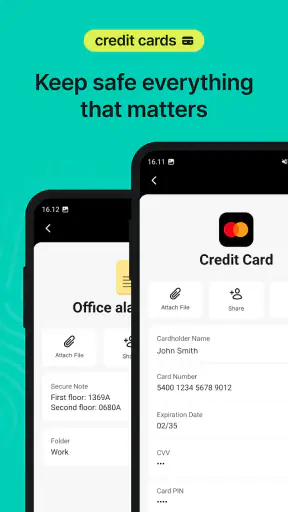
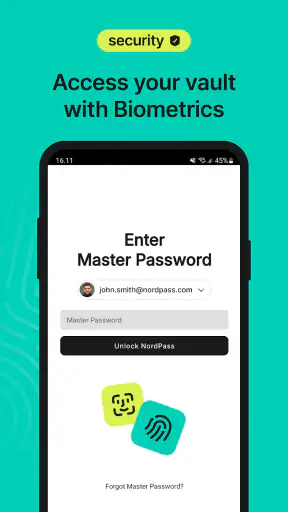
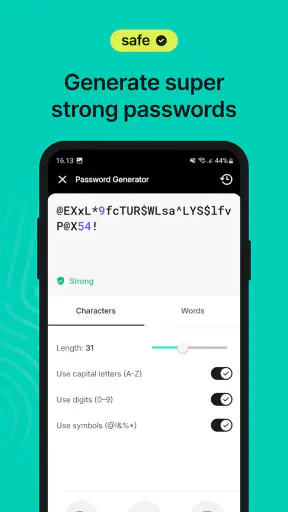
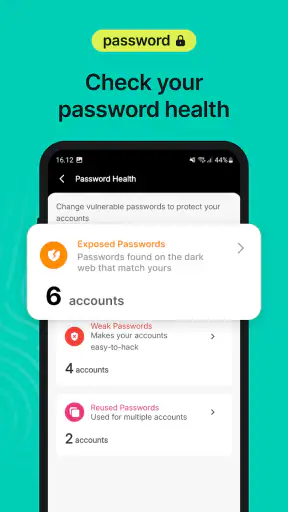
I spent time with NordPass Password Manager as a practical productivity app rather than treating it as a simple place to dump passwords. Its purpose is straightforward: keep login details and passkeys in a protected vault, then make signing in less repetitive across the services I use. That sounds modest, but the value becomes obvious when a day involves several accounts, different devices, or a password reset that would otherwise turn into a hunt through notes, browser tabs, and old messages.
NordPass is developed by Nord Security and is available free of charge, with optional in-app purchases ranging from $4.99 to $35.99 per item. It is rated for Everyone, supports Android 9 and later, and has reached over one million installs. The app holds a 4.4 average from around 34,000 ratings, with roughly 2,500 written reviews, so it has a substantial user base without being difficult to approach.
How NordPass feels in everyday use
The first thing I noticed is that a password manager changes the way I think about account security. Instead of trying to remember a few familiar passwords and reusing variations of them, I can let the vault handle the remembering. That makes it easier to use stronger, separate credentials for shopping, email, work tools, subscriptions, and less important accounts without adding mental overhead.
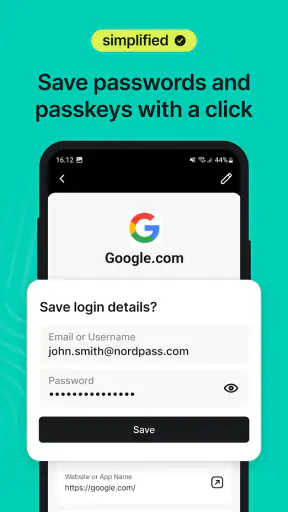
The vault is most useful when I treat it as the starting point for a login, not as an emergency drawer opened only after forgetting a password. Saving an account as soon as I create it prevents the familiar problem of knowing that a password exists somewhere but not knowing where. Passkeys fit the same workflow: when a service supports them, storing them alongside other sign-in information gives me one place to check instead of relying on scattered device prompts or memory.
A realistic example is preparing for a busy Monday morning. I might need to access a workplace service, a delivery account, cloud storage, and a billing portal from a phone. With NordPass, I can search the vault rather than repeatedly requesting resets. The benefit is not dramatic in one login; it is the accumulated time and reduced frustration across dozens of small interactions.
The app also makes sense for people who move between personal and shared environments. I do not have to keep credentials in a browser profile that may not be the one I am currently using. That separation is useful when I occasionally sign in from a different device or need to distinguish a personal account from a work account with similar names.
The vault is only as useful as its organization
My strongest practical advice is to establish a naming habit early. A vault filled with entries called “login,” “account,” or “new password” becomes difficult to search, even if the underlying security is sound. I prefer names that identify both the service and the purpose, such as a retailer followed by “personal” or a project name followed by “admin.” This is a small detail, but it determines whether the app feels like a shortcut or another filing task.
I would also use the vault as a place to clean up old credentials gradually. Rather than importing or entering everything and assuming the job is finished, I would update the accounts I use most often first. Then I would replace reused passwords as those services come up in normal life. That staged approach is less tiring and makes it easier to notice duplicate or outdated entries.
There is a trade-off here. A password manager reduces the need to remember many passwords, but it increases the importance of protecting access to the vault itself. I would not install it casually and then ignore the main account. The convenience is worthwhile only when I am willing to take that central credential seriously and keep my recovery details accessible in a safe way.
Passkeys make the app more relevant than an old-fashioned password locker
Passkeys are an important part of the experience because they address a weakness in traditional password storage: passwords can still be copied, guessed, or exposed through poor habits. A passkey-based sign-in can feel less familiar at first, especially when a service presents several authentication choices, but keeping passkeys in the same vault gives the workflow a logical home.
I would not assume every website or app behaves identically. Some services still prioritize passwords, some offer passkeys only during account setup, and some make the option difficult to find. That means NordPass cannot remove every awkward step from the sign-in process. Its role is to keep the credentials that a service supports available and organized, not to force every account into one authentication method.
For someone starting fresh, this is a good reason to adopt a password manager now instead of waiting until every account supports passkeys. The vault can handle the mixed reality: older password-based accounts, newer passkey-enabled services, and the gradual transition between them.
What the current version tells me about the product
The current version is 5.14.3, and the app was released on November 16, 2019. That combination suggests a product with several years of development behind it rather than a newly assembled vault with an untested workflow. I see that maturity in the basic concept: NordPass is built around making secure sign-in routine, not turning security into a technical project.
Version information is useful, but I would avoid treating a version number as proof that every personal annoyance has disappeared. A newer build can improve compatibility or smooth out existing flows without changing the fundamental responsibilities of the user. I still need to review saved entries, recognize which account I am opening, and understand whether I am using a password or a passkey.
For existing users, the practical effect of continued development is likely to be felt most in everyday reliability. A password manager earns trust through repeated small successes: finding the right entry quickly, presenting the correct credential at the right moment, and keeping the vault usable as accounts accumulate. Those details matter more to me than a flashy redesign because a security tool becomes valuable through consistency.
Where it compares well with usual alternatives
The usual alternatives are browser password storage, device-specific credential tools, handwritten notes, spreadsheets, and simply reusing passwords. Notes and spreadsheets are easy to begin with, but they turn security into a manual process and can become dangerously exposed if copied or shared. Reuse is faster only until one compromised account creates a much larger problem.
Browser storage is more convenient than those improvised methods, especially for someone who lives inside one browser and one ecosystem. NordPass is more appealing when I want a dedicated vault rather than credentials mixed into general browser settings. It gives the password manager a clear identity and makes the decision to review, organize, and update accounts more deliberate.
Device-specific tools can be excellent for people who stay within one platform. I would consider them first if my entire digital life already fits comfortably into one device ecosystem and I value the fewest possible apps. NordPass becomes more interesting when I want a separate password-management layer or when my habits are not tied to one browser or device.
That does not make it automatically better for everyone. Adding a dedicated manager means another app to learn and another central vault to protect. Someone with only a handful of accounts may find the setup unnecessary, while someone with many scattered credentials may wonder why they waited so long.
Friction I would want new users to understand
The biggest limitation is not a missing button; it is the change in routine. At first, saving every new login and choosing the vault instead of the browser can feel slower. If I am in a hurry, I may be tempted to skip the process and return to an old habit. The app pays off when I accept that the first careful save prevents several future interruptions.
Search quality also depends on the information I put into each record. If I save several accounts for the same service without useful labels, I can still choose the wrong one. This is why I consider account naming and cleanup part of using NordPass, not optional housekeeping.
There is also a psychological gap between “my passwords are stored securely” and “I know how to recover access if something goes wrong.” I would encourage anyone setting up the app to think through that situation before needing it. A password manager should reduce panic during a login problem, not become the only place where essential recovery information exists without a plan.
The free entry point is helpful for trying the core idea, but the presence of in-app purchases means I would check which capabilities matter to me before building a long-term routine around the app. I would not pay simply because a premium option exists; I would first decide whether the free experience covers my actual device and account habits.
Who should use it, and who may prefer something else
I would recommend NordPass to someone who has accumulated too many accounts, reuses passwords, regularly forgets credentials, or wants one dedicated place for passwords and passkeys. It is also a sensible option for a person who wants to improve security gradually rather than replace every account in one exhausting session.
It suits people who appreciate organization. The more accounts I have, the more useful a searchable vault becomes, especially when I label entries clearly and update the important ones first. It can also help a less technical family member move away from writing passwords in unsafe places, provided someone is willing to explain the setup and the responsibility of protecting the main account.
I would suggest looking at a browser or built-in device manager first if simplicity is the only priority and all credentials already live comfortably in one ecosystem. I would also hesitate to recommend a dedicated vault to someone unwilling to maintain it. A neglected password manager filled with stale entries is not delivering its full value, regardless of how polished the interface feels.
People who need specialized organizational features, a particular sharing model, or a workflow built around an existing password-management system should compare those needs carefully before switching. NordPass is strongest as a clear, dedicated vault for everyday sign-ins; it should not be chosen solely because password managers are generally a good idea.
Small habits that make the experience better
Start with email, banking, shopping, and work accounts rather than trying to catalog every old login in one sitting.
Use service names plus an account purpose so similar entries are easy to distinguish during a rushed sign-in.
When a website offers a passkey, decide deliberately whether to save it in the vault instead of creating another password out of habit.
Review duplicate entries after changing a password; keeping an old record beside the new one can create confusion later.
Keep your recovery plan separate from everyday browsing habits so a locked device does not leave you without a way forward.
These habits are more important than they may appear. The hidden strength of NordPass is not just that it stores credentials; it is that it can turn account maintenance into a repeatable process. The hidden weakness is that the process still depends on user discipline. If I save only some accounts, use vague labels, and ignore outdated records, the convenience becomes inconsistent.
What I would watch as the app continues to evolve
Because the product has been available since 2019 and is now at version 5.14.3, I would pay attention to how it handles the changing balance between passwords and passkeys. The best direction would be a workflow that makes both feel equally understandable, especially for people who do not know why one sign-in method is being offered over another.
I would also watch for improvements that reduce the maintenance burden rather than merely adding more places to store information. Clearer duplicate handling, sensible organization, and dependable access at the moment of login would matter more to me than a crowded collection of secondary tools. A password manager should make secure behavior easier to repeat.
Existing users should judge updates by the effect on their own routine. If finding entries, saving new credentials, and moving between password and passkey sign-ins becomes smoother, that is meaningful progress. If an update changes the layout, I would give myself time to learn it before deciding whether the product has become better or worse.
My final view is positive, with one condition: NordPass works best when I treat it as a long-term habit rather than a one-time installation. It gives passwords and passkeys a dedicated home, offers a practical alternative to scattered notes or browser-only storage, and is approachable enough for ordinary daily use. The free starting point makes experimentation easy, while the optional purchases mean I would assess my needs before committing to paid features.
My recommendation is to try NordPass if your current login system is messy, repetitive, or built on reused passwords. Give it time to become the place you begin a sign-in, organize entries with care, and keep realistic expectations about the work that remains yours. If you want the simplest possible solution inside one device ecosystem, a built-in manager may be enough. If you want a dedicated vault for a growing collection of accounts and passkeys, NordPass Password Manager is a convincing productivity choice.


